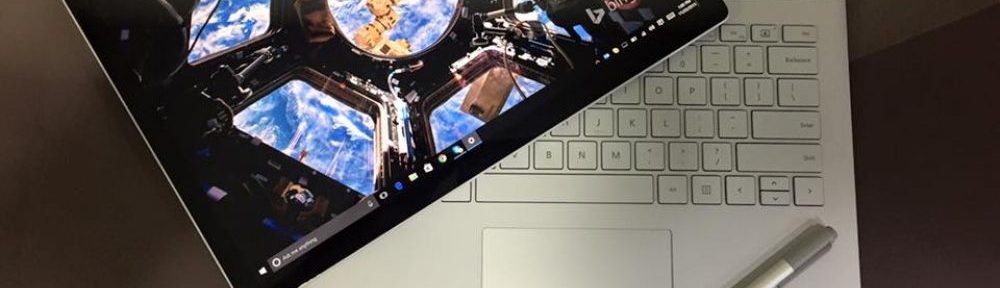
A peek at Vista Beta 2 (Build 5219)

I have been lucky to get hold of Vista Beta 2 build (The one which was given away at PDC 2005). Have been on it for over a week now. There are quite a few improvements over Beta 1. Let me just brief here on some of them:

While loading up (booting) 5219, I could see a number of functional changes compared to Beta 1.
The most noticible one was of the Taskbar which was kinda translucent (heard of the Glass Effect or Aero Effect) – compared to an opaque black color in Beta 1–and more elegant looking.
Along with this – when you have “Similar Items Group’d Together” enabled – and just when you hover your mouse on the taskbar – you can see a small “preview” image of the window. This is one of the coolest features which got me into the grove of Vista

With build 5219, Microsoft reintroduced a complete new stack of Vista Sidebar (Yeah!! Microsoft does listen to its customers). I really had to found out how to enable it – cause it was disabled by default. Well the best part about the sidebar was that it supports RSS feeds – and I actually got all the RSS feeds from my blog on the sidebar (Now isnt this a cool feature!!)

The build (5219) was a of “Ultimate Edition”. Hence it came with Media Center Edition and also had Tablet PC platform support with it. The Media center was just rocking with nice sound effects and ability to pan/zoom into the images without coding for it :). I believe Microsoft will not have a separate editions of Tablet PC and MC for Vista. They will probably be a part of Ultimate Edition.

With “Ultimate Edition” came a lot more newer games with a great sleeky look. One of them which caught my eye was Chess aka Chess Titians. This one is a cool 3D version of the popular board game and you can play with various skill levels, using different board and piece designs, and against a computer or human opponent. Other ones included were Shanghai and Purple Place. Also the hot and classic windows games like FreeCell, Solitaire, Hearts and Spider Solitaire are included. The best thing about all of them is that they all come with a new ramped up icons.

One of the best features of 5219 was the ALT+TAB key combination which is used to switch between different tasks which are running on your system. With Vista, its been named as “Flip” and has changed to a more visual presentation, that previews the contents of each application’s window as you navigate through the list. 5219 also included a different kind of Task Switching called as “3D Flip” which can be instantiated by hitting Windows Key+Spacebar. When you start this one, task switching opens windows in a stacked, three-dimensional view. Guess this one is lifted wholeheartedly from Sun’s Project Looking Glass.

There was one more intersting feature that would catch any mobile user’s eyes, its called as “Super Fetch”. This feature examines your system on a timely basis, checks which applications you use regularly, and then preloads code from those apps to later speed application launch times and responsiveness. And here is a surprise for all of you who have a USB Stick and use it as their secondary memory. Stick in a 1 GB USB stick and you get 1 GB of super-fast cache RAM (encrypted for security) and an instant speed boost. Now isnt this feature intersting 😉

I couldnt get a chance to work on SafeDocs or UAP (User Account Protection) – will write more on them when I spend more time.

Microsoft and Yahoo IM Interop?

I have always wanted to use just one IM all these years. Jabber has always been around, however the UI of MSN or Yahoo is what keeps me stick to them. Finally two of the major players in the IM industry have heard me. This is what betanews.com says:

Microsoft and Yahoo announced on Wednesday a blockbuster interoperability deal that will reshape the landscape of the fragmented instant messaging market. The companies will connect their IM networks so users on each can communicate with one another using text and voice chat free of charge.

Does this mean that we might have an era where collaboration becomes the most important or is this an idea were advertisements will be put up so as to generate more revenue for the companies?

30Gigs – Get more email space!!

Well GMail rocked the email market with its first invite-only kind of 1GB email service. A lot has been changed from that day. Most of the email providers are now offering more space then ever before. And all this is FREE!!

Well here is another feather in such email providers. There is a new one floating called 30Gigs.com. This one offers 30GB of FREE email storage space. Yeah you heard it right 30 Gigs of email space. I dont think you will ever compain now of now having enough storage space.

I’ve 10 invites left with me – so incase you need an invite – kindly leave a comment on this post with your name and email address – and I’ll send you one. Remember its on first come first serve basis only 🙂

Tablet PC Sessions

Its been a week now that I’ve the Tablet PC. This one comes straight from MED group. I will be using this one for the Mumbai MED User Group meets. So if anyone is intersted in trying out the Tablet PC, kindly send an email to me at hardiks[at]msn[dot]com.

I would also be doing a series of sessions on Tablet PC Overview at Mumbai, Pune and Gujrat. The first one in this series is happening as a part of MUG Meet, tomorrow at MAQSoftware. More details about the UserGroup meet can be found here

Google Accounts – Is it going Microsoft way?

Lately when I was on Orkut, I was greeted by a message saying that all Orkut Logins would be treated as “Google Accounts” and all those who have Orkut login, can link their Google Account to the login on Orkut!!

I have heard people saying Microsoft is the only corporate who wants to monopolize every stuff on the internet. Now I’m afraid that even Google wants to do the same. I wouldn’t want to use my Google Account for a simple fact that their privacy policy says that they monitor the no. of clicks, Internet Protocol address, browser type, browser language, etc.

Now, the most obvious question here is – how many of us actually take the pains to read the privacy policy. Have a look at the privacy policy of Microsoft, just to know how strict its privacy terms are!!

OS Internals – Session at Pune

It was 2nd of September, a late raining Friday evening when I went to Pune for a session on the next day. I catched up with Tejas Shah, the ADE (Academic Developer Evangelist), at his hotel room. We were to decide on the demo’s and the PPT for the next day.

After loads of talks and plans, we finally slept at around 1 am. Next day was a huge one. MS was kind enough to book Nehru auditorium for the PUGStudent meet. The agenda for the meet were three sessions

1. OS Internals – Tejas and myself
2. Windows Mobile Programming and RFID – Shrenik Dedhia, MAQSoftware
3. XML and WebServices – Sarang Datye, MVP

We started of at around 1330 hrs, 30 min behind the schedule. The attendance was decent enough with about 150-175 students across Pune. Tejas started off with all the Techie talks about Operating Systems and made a base for the demos which I was to take. He talked about Process Management, Memory Management, Threads, Objects and Handles, etc. I basically gave demos at intervals during Tejas’s sessions. My demos included, making a MultiThreaded app in C#.NET, Services for Unix[SFU] (this was real fun to do – made a C program in Windows, Compiled it using GCC in SFU and executed it on Windows using POSIX Subsystem). I also showed various tools from the MS Official Windows Internal curriculum including Process Monitors, Registry Monitors and AutoRun Monitors.

Over all, the first session was very cool one (not cause me and Tejas were doing it), cause students actually did not know that you can host a Unix Subsystem over a Windows one. Basically they were too interested to know more about SFU.

The next one was by Shrenik, one of the Developer from MAQSoftware, who has quite a bit of experience in developing Mobile App for the company. He spoke on the .NET Compact Framework, and demo’d how to go about building an app both for the SmartPhone form factor as well as for the Pocket PC. He also spoke about various applications available in the market for the PocketPC and the SmartPhone

Lastly it was Sarang’s turn to speak (Thank god he was the last one – else he would have taken up our time as well). He started with a big “GOOD MORNING” to all the students. :). He spoke on creating a webservice using XML. This was demo’d by not using the IDE interface but using NOTEPAD. Once shown how a XML file looks like, he spoke about how VS.NET IDE helps to do it much faster and in a more efficient way then he would ideally do with a text editor. By the time Sarang was doing his demo, the audi’s warning bell rang and Sarang had to rush off with the demos.

In all it was a nice sessions. Offline – we also spoke about the Student Project Program and about Student Champ Program. Infact we tried and identified couple of students who were interested and briefed them about it. We also distributed ARKs 3.0 along with couple of MSDN India Magazines. Tejas distributed (rather awarded) Extreme Edition CDs (VC++.NET, Platform SDK and a licensed Copy of Windows XP SP2) to some students who were enthu enough to answer some questions asked. MAQSoftware, also distributed CDs of various apps (MathEdge, EnglishEdge, TrafficEdge) which it had made for the mobile phone.

Guess there should be more of such session comming up in the next semester.

Start.com – Microsoft way for RSS Aggregator

Microsoft recently released the final version on www.start.com. Start.com is like a mix between MyYahoo and the new Google Personalized Homepage. It enables users to subscribe to RSS feeds and it is closely integrated with search.

Start.com is based on the mixture of a few technologies blended into one. Where it sets itself apart is with content. The welcome for RSS (Really Simple Syndication) is cool and start.com does this nicely. With autodetecting RSS feeds when an URL is placed and being able to pull those internally to the page, this is something that is enjoyable. One thing that I personally love is are the favicons (on the top of the page), which is a nice touch.

Overall, it’s certainly a more impressive effort than Google’s, but there’s a long way to go before they can compete against ‘real’ Web-based RSS Aggregators like Bloglines. With no folder support – it would be diffcult for me to add all my friends RSS feeds. But again with the single background image for the search bar this is something that apeals to the eyes yet doesn’t change the entire layout of the page. On the fly processing, the other features are pulled to the page – there is no authentication, no referral, no import nothing.

All I can say is that all start.com stole my heart. Well guys, go ahead and add a webservice which I can consume 🙂 Or may be this is a different type of HomePage Aggregator.