XBox Green Reviewed

Recently, thanks to Abhishek, I was able to have a nice look at the Green Xbox console. Here is a small review of it. Hope you ppl like it..

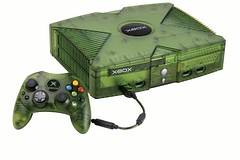
This one is a Limited Edition Xbox console and is translucent green in color. It came it with a translucent green (S) type controller. This has stunning graphics and immense power under the hood, so much that your screen doesnt even flicker, even if you have tri-linear, bump mapping and shadows turned on.

Its paked up with 733MHz processor, 64MB of Memory, 8 gigabyte hard drive, built-in ethernet port, and NVIDIA graphics processing unit. This surely is one sort of HIGH end console, something which you are compelled to drool over.

This gives you power like P4 2.5 Ghz machine with lots of memory and GeForce3 GPU. Its something like, a Final Fantansy movie, right in front of you. The system also supports DVD playback and boasts 256 bit audio channels – supporting Dolby Digital and Dolby Surround – which all combine to give you an unrivalled audio experience.

Three Cheers to XBox. Its purely a mean gammin machine.

Some Common Networking Protocols

Here are some common Networking Protocols. Somethings which is essential for the MSCE exam 70-058 and also as a basic networking knowledge.

Network Basic Input/Output System (NetBIOS)

Most of the services and applications that run within the Windows operating system use the NetBIOS interface or interprocess communication (IPC). NetBIOS was developed on LANs and has evolved into a standard interface for applications to use to access networking protocols in the transport layer for both connection-oriented and nonconnection-oriented communications. NetBIOS interfaces exist for NetBEUI, NWLink, and TCP/IP. NetBIOS requires an IP address and a NetBIOS name to uniquely identify a computer.

NetBIOS performs four primary functions:

  • NetBIOS name resolution Each workstation on a network has one or more names. NetBIOS maintains a table of the names and any aliases. The first name in the table is the unique name of the NIC. Optional user names can be added to provide a user-friendly identification system. NetBIOS then cross-references the names as required.
  • NetBIOS Datagram service This function allows a message to be sent to any name, group of names, or to all users on the network. However, because this does not use point-to-point connections, there is no guarantee that the message will arrive at its destination.
  • NetBIOS Session service This service opens a point-to-point connection between two workstations on the network. One workstation initiates a call to another and opens the connection. Because both workstations are peers, they both can send and receive data concurrently.
  • NetBIOS NIC/session status This function makes information about the local NIC, other NICs, and any currently active sessions available to any application software using NetBIOS.

Originally, IBM offered NetBIOS as a separate product, implemented as a terminate-and-stay-resident (TSR) program. This TSR program is now obsolete; if you should encounter one of these systems, you should replace it with the Windows NetBIOS interface.


NetBEUI

NetBEUI is the acronym for NetBIOS Extended User Interface. Originally, NetBIOS and NetBEUI were tightly tied together and considered one protocol. However, several network manufacturers separated out NetBIOS, the session-layer protocol, so that it could be used with other routable transport protocols. NetBIOS (network basic input/output system) is an IBM session-layer LAN interface that acts as an application interface to the network. NetBIOS provides the tools for a program to establish a session with another program over the network and, because so many application programs support it, it is very popular.

NetBEUI is a small, fast, and efficient transport-layer protocol that is supplied with all Microsoft network products. It has been available since the mid-1980s and was supplied with the first networking product from Microsoft: MS-NET.

Advantages of NetBEUI include its small stack size (important for computers running MS-DOS), its speed of data transfer on the network medium, and its compatibility with all Microsoft-based networks.

X.25 Packet Switching
A set of WAN protocols, X.25 is incorporated in a packet-switching network made up of switching services. The switching services were originally established to connect remote terminals to mainframe host systems. The network breaks up each transmission into multiple packets and places them on the network. The pathway between nodes is a virtual circuit that looks like a single, continuous, logical connection to the upper layers. Each packet can take different routes from the source to the destination. After the packets arrive, they are reassembled into their original data message.

A typical packet includes 128 bytes of data; however, the source and destination can negotiate a different packet size after making the virtual connection. The X.25 protocol can support a theoretical maximum of 4095 concurrent virtual circuits across a physical link between a node and the X.25 network. Typical data-transmission speed for X.25 is 64 Kbps.

The X.25 protocol works in the physical, data-link and network layers of the OSI reference model. It has been around since the mid-1970s and has been well debugged; therefore, it is a stable network environment. It does, however, have two shortcomings:

  • The store-and-forward mechanism causes delays. Typically, the delay is about .06 second and has no effect on large blocks of data. However, in a flip-flop type of transmission, the delay might be noticeable.
  • A large amount of buffering is required to support the store-and-forward data transfer

X.25 and TCP/IP are similar in that they both use packet-switched protocols. However, there are several differences between the two:

  • TCP/IP has only end-to-end error checking and flow control; X.25 has error checking from node to node.
  • To compensate for the fact that a TCP/IP network is completely passive, TCP/IP has a more complicated flow control and window mechanism than X.25 has.
  • X.25 has tightly specified the electrical and link levels; TCP/IP is designed to travel over many different kinds of media, with many different types of link service.


Xerox Network System (XNS)

Xerox developed Xerox Network System (XNS) for its Ethernet LANs. XNS became widely used in the 1980s, but has been slowly replaced by TCP/IP. It is a large, slow protocol, but produces more broadcasts, causing more network traffic.

Advanced Program-to-Program Communication (APPC)
Advanced Program-to-Program Communication (APPC ) is IBM’s transport protocol developed as part of its Systems Network Architecture (SNA). It was designed to enable application programs running on different computers to communicate and exchange data directly.

AppleTalk
AppleTalk is Apple Computer’s proprietary protocol stack designed to enable Apple Macintosh computers to share files and printers in a networked environment. It was introduced in 1984 as a self-configuring LAN technology. AppleTalk is also available on many UNIX systems that use third-party freeware and commercial packages. The AppleTalk protocol suite encompasses high-level file sharing using AppleShare, LaserWriter printing services and print spoolers, along with lower-level data streams and simple datagram delivery.


OSI Protocol Suite

The OSI protocol suite is a complete protocol stack. Each protocol maps directly to a single layer of the OSI reference model. The OSI protocol suite includes routing and transport protocols, IEEE 802 series protocols, a session-layer protocol, a presentation-layer protocol, and several application-layer protocols designed to provide full networking functionality, including file access, printing, and terminal emulation.

DECnet
DECnet is Digital Equipment Corporation’s proprietary protocol stack. It is a set of hardware and software products that implement the Digital Network Architecture (DNA). It defines communication networks over Ethernet LANs, Fiber Distributed Data Interface metropolitan area networks (FDDI MANs), and WANs that use private or public data-transmission facilities. DECnet can also use TCP/IP and OSI protocols as well as its own protocols. It is a routable protocol.

DECnet has been updated several times; each update is called a “phase.” The current revision is DECnet Phase V, and the protocols used are both proprietary to Digital and offer a fairly complete implementation of the OSI protocol suite.

Introduction to TCP/IP

This is something which I learnt at College and also while preparing for MCSE.. Some basics about TCP/IP

TCP/IP has become the standard protocol used for interoperability among many different types of computers. This interoperability is a primary advantage of TCP/IP. Most networks support TCP/IP as a protocol. TCP/IP also supports routing and is commonly used as an internetworking protocol.

Other protocols written specifically for the TCP/IP suite include:

  • SMTP (Simple Mail Transfer Protocol) E-mail.
  • FTP (File Transfer Protocol) For exchanging files among computers running TCP/IP.
  • SNMP (Simple Network Management Protocol) For network management.

Designed to be routable, robust, and functionally efficient, TCP/IP was developed by the United States Department of Defense as a set of wide area network (WAN) protocols. Its purpose was to maintain communication links between sites in the event of nuclear war. The responsibility for TCP/IP development now resides with the Internet community as a whole. TCP/IP requires significant knowledge and experience on the user’s part to install and configure. Using TCP/IP offers several advantages; it:

  • Is an industry standard As an industry standard, it is an open protocol. This means it is not controlled by a single company, and is less subject to compatibility issues. It is the de facto protocol of the Internet.
  • Contains a set of utilities for connecting dissimilar operating systems Connectivity from one computer to another does not depend on the network operating system used on either computer.
  • Uses scalable, cross-platform client-server architecture TCP/IP can expand (or shrink) to meet future needs and circumstances. It uses sockets to make the computer operating systems transparent to one another.

TCP/IP Standards

TCP/IP standards are published in a series of documents called Requests for Comment (RFC). Their primary purpose is to provide information or to describe work in progress. Although not originally intended to serve as standards, many RFCs are accepted as true standards.

Internet development is based on the concept of open standards. That is, anyone who wishes to do so can use or participate in developing standards for the Internet. The Internet Architecture Board (IAB) is the committee responsible for managing and publishing RFCs for the Internet. The IAB allows anyone or any company to submit or evaluate an RFC. This includes any proposed idea for changes or new standards. After a reasonable amount of time is allowed for discussion, a newly proposed draft will or will not become a standard.

The InterNIC Directory and Database provided by AT&T is a service that furnishes sources of information about the Internet to the public. The Directory and Database includes the RFCs. This service can be found at http://www.internic.net/ on the World Wide Web. Furthermore, RFCs can be downloaded from the following FTP sites:

http://nis.nsf.net
http://ftp.ncren.net
http://ftp.sesqui.net
http://ftp.isi.edu
http://wuarchive.wustl.edu
http://ftp.imag.fr

TCP/IP and OSI
The TCP/IP protocol does not exactly match the OSI reference model. Instead of seven layers, it uses only four. Commonly referred to as the Internet Protocol Suite, TCP/IP is broken into the following four layers:

  • Network interface layer
  • Internet layer
  • Transport layer
  • Application layer

Each of these layers corresponds to one or more layers of the OSI reference model.

Network Interface Layer
The network interface layer, corresponding to the physical and data-link layers of the OSI reference model, communicates directly with the network. It provides the interface between the network architecture (such as token ring, Ethernet) and the Internet layer.

Internet Layer
The Internet layer, corresponding to the network layer of the OSI reference model, uses several protocols for routing and delivering packets. Routers, are protocol dependent. They function at this layer of the model and are used to forward packets from one network or segment to another. Several protocols work within the Internet layer.

Internet Protocol (IP)
Internet Protocol (IP) is a packet-switched protocol that performs addressing and route selection. As a packet is transmitted, this protocol appends a header to the packet so that it can be routed through the network using dynamic routing tables. IP is a connectionless protocol and sends packets without expecting the receiving host to acknowledge receipt. In addition, IP is responsible for packet assembly and disassembly as required by the physical and data-link layers of the OSI reference model. Each IP packet is made up of a source and a destination address, protocol identifier, checksum (a calculated value), and a TTL (which stands for “time to live”). The TTL tells each router on the network between the source and the destination how long the packet has to remain on the network. It works like a countdown counter or clock. As the packet passes through the router, the router deducts the larger of one unit (one second) or the time that the packet was queued for delivery. For example, if a packet has a TTL of 128, it can stay on the network for 128 seconds or 128 hops (each stop, or router, along the way), or any combination of the two. The purpose of the TTL is to prevent lost or damaged data packets (such as missing e-mail messages) from endlessly wandering the network. When the TTL counts down to zero, the packet is eliminated from the network.

Another method used by the IP to increase the speed of transmission is known as “ANDing.” The purpose of ANDing is to determine whether the address is a local or a remote site. If the address is local, IP will ask the Address Resolution Protocol (ARP), discussed in the next section, for the hardware address of the destination machine. If the address is remote, the IP checks its local routing table for a route to the destination. If a route exists, the packet is sent on its way. If no route exists, the packet is sent to the local default gateway and then on its way.

Address Resolution Protocol (ARP)
Before an IP packet can be forwarded to another host, the hardware address of the receiving machine must be known. The ARP determines hardware address (MAC addresses) that correspond to an IP address. If ARP does not contain the address in its own cache, it broadcasts a request for the address. All hosts on the network process the request and, if they contain a map to that address, pass the address back to the requestor. The packet is then sent on its way, and the new information address is stored in the router’s cache.

Reverse Address Resolution Protocol (RARP)
A RARP server maintains a database of machine numbers in the form of an ARP table (or cache) which is created by the system administrator. In contrast to ARP, the RARP protocol provides an IP number to a requesting hardware address. When the RARP server receives a request for an IP number from a node on the network, it responds by checking its routing table for the machine number of the requesting node and sending the appropriate IP number back to the requesting node.

Internet Control Message Protocol (ICMP)
The ICMP is used by IP and higher-level protocols to send and receive status reports about information being transmitted. Routers commonly use ICMP to control the flow, or speed, of data between themselves. If the flow of data is too fast for a router, it requests that other routers slow down.
The two basic categories of ICMP messages are reporting errors and sending queries.

Transport Layer
The transport layer, corresponding to the transport layer of the OSI reference model, is responsible for establishing and maintaining end-to-end communication between two hosts. The transport layer provides acknowledgment of receipt, flow control, and sequencing of packets. It also handles retransmissions of packets. The transport layer can use either TCP or User Datagram Protocol (UDP) protocols depending on the requirements of the transmission.

Transmission Control Protocol (TCP)
The TCP is responsible for the reliable transmission of data from one node to another. It is a connection-based protocol and establishes a connection (also known as a session, virtual circuit, or link), between two machines before any data is transferred. To establish a reliable connection, TCP uses what is known as a “three-way handshake.” This establishes the port number and beginning sequence numbers from both sides of the transmission. The handshake contains three steps:

  1. The requestor sends a packet specifying the port number it plans to use and its initial sequence number (ISN) to the server.
  2. The server acknowledges with its ISN, which consists of the requestor’s ISN, plus 1.
  3. The requestor acknowledges the acknowledgement with the server’s ISN, plus 1.

In order to maintain a reliable connection, each packet must contain:

  • A source and destination TCP port number.
  • A sequence number for messages that must be broken into smaller pieces.
  • A checksum to ensure that information is sent without error.
  • An acknowledgement number that tells the sending machine which pieces of the message have arrived.
  • TCP Sliding Windows.

Ports, Sockets, and Sliding Windows
Protocol port numbers are used to reference the location of a particular application or process on each machine (in the application layer). Just as an IP address identifies the address of a host on the network, the port address identifies the application to the transport layer, thus providing a complete connection for one application on one host to an application on another host. Applications and services (such as file and print services or telnet) can configure up to 65,536 ports. TCP/IP applications and services typically use the first 1023 ports. The Internet Assigned Numbers Authority (IANA) has assigned these as standard, or default, ports. Any client applications dynamically assign port numbers as needed. A port and a node address together make up a socket.

Services and applications use sockets to establish connections with another host. If applications need to guarantee the delivery of data, the socket chooses the connection-oriented service (TCP). If the applications do not need to guarantee data delivery, the socket chooses the connectionless service (UDP).

A sliding window is used by TCP for transferring data between hosts. It regulates how much information can be passed over a TCP connection before the receiving host must send an acknowledgement. Each computer has both a send and a receive window that it utilizes to buffer data and make the communication process more efficient. A sliding window allows the sending computer to transmit data in a stream without having to wait for each packet to be acknowledged. This allows the receiving machine to receive packets out of order and reorganize them while it waits for more packets. The sending window keeps track of data that has been sent, and if an acknowledgement is not received within a given amount of time, the packets are re-sent.

User Datagram Protocol (UDP)
A connectionless protocol, the UDP, is responsible for end-to-end transmission of data. Unlike TCP, however, UDP does not establish a connection. It attempts to send the data and to verify that the destination host actually receives the data. UDP is best used to send small amounts of data for which guaranteed delivery is not required. While UDP uses ports, they are different from TCP ports; therefore, they can use the same numbers without interference.

Application Layer

Corresponding to the session, presentation, and application layers of the OSI reference model, the application layer connects applications to the network. Two application programming interfaces (APIs) provide access to the TCP/IP transport protocols—Windows Sockets and NetBIOS.

Windows Sockets Interface
Windows Sockets (WinSock) is a networking API designed to facilitate communication among different TCP/IP applications and protocol stacks. It was established so that applications using TCP/IP could write to a standard interface. WinSock is derived from the original sockets that API created for the BSD Unix operating system. WinSock provides a common interface for the applications and protocols that exist near the top of the TCP/IP reference model. Any program or application written using the WinSock API can communicate with any TCP/IP protocol and vice versa.
PuneITPro UG Meet


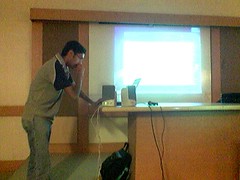
It was 9.00 am in the morning of 10th April, 2004. A blissful Sunday, with the sun already out and shining. It was about 60 minutes for the session on Longhorn to start off. So I got ready and reached the Venue by 930 hrs.

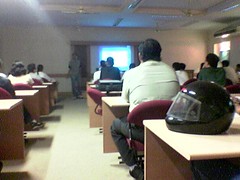
Moments later, my cell rings. It was Manik Ahuja, IT Professional Evangelist, Microsoft Bangalore, on the line. He was also close to the venue and was asking me the last minute directions (since it was held at my college :)). Its about 0945 hrs now, and the session was to be started. However, the hall seemed margingly full and I was worried if people would turn up for the session or not. All I could see at that moment, were some students from various colleges across Pune, about 10-12 of them. They were really interested to know about Longhorn.

We (read: Manik and I) setup Manik’s laptop and the project by around 0955 hrs. Few more people had come into the “Smart Room” and I was feeling relaxed about the audiance. More minutes pass by, about 1003 in the clock and we start the session. There are about 35 people now in the room.

To start of with, Manik showed an interesting video on Transition in Microsoft, from Windows 1.0 to 3.0 to 95 to 98 to 2000 to XP and then the most awaited Longhorn. This video, actually got the audiance into the groove of the session. Later on, Manik explained the audiance about the 3 pillers of Longhorn, viz. Avalon (the presentation SubSystem), Indigo (the programmers dream) and WinFX (a completely new file system built on top of NTFS). He also explained various facts about installation, which would take only about 15-20 min to install a DNS server. He also explained stuff about IIS 7.0, using a video, which would be shipping in as a feature of Longhorn. He also showed a video, of how you could install the Longhorn Server using the command prompt. So basically there was a lot of Gyan for all the System Admins present out there.

Not to leave some developers behind ( and ofcourse students), the onus came onto me. After Manik’s nice and intersting talk about the Servers, I gave a demo about the Longhorn Client. It was actually fun telling people about the SideBar, a complete new Interface, the New Calender and stuff. So basically showed what is there in the Longhorn OS for people to watch out for and what features would it provide for the developers. Laterz, I take a back seat and Manik starts a nice Q&A session. Lots of question get answered, however, someone pops up a question on XAML.

I was planning to show an XAML basesd application which worked fine on my desktop, (Win XP with SP2, November CTP Download for Avalon and Whidbey Beta 1). Manik knew that I had some knowledge about XAML so he directed the question to me. However to my bad luck, the app did not work fine on Sarang’s lappie. Not to fall back, I explained the XAML Code to ppl and told them steps on how to go about downloading it from the NET for their XP based machines.

Lastly we winded up the session by 11.30, and Manik was open to all the offline questions. However before winding up, Manik threw a surprise for all the attendies, that PuneITPro would be giving away a cool Grey MSN India t-shirts. It was a great surprise for all of them.

Before I forget, a great thanks to Anand Deodhar sir, for providing PuneITPro all the infrastructure for the session, without whom, the session wouldnt have taken
place.


Me on the talks 😉


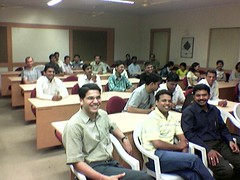
Audiance 4

Visual Studio 2005 for Unix/Linux Platforms

In a press release today, Micrososft officially announced the much awaited “Whidbey” for Unix/Linux platform.

This ideally was the cause of delay in it release. It was also quoted that Yukon would be ported on Unix platforms as well. Other supported technologies would be Indigo and Avalon. However WinFX would have to wait another year to get ported.

This need for this announcement comes clear, from MS headquatered in Redmond. With modern toolsets and developing apps in both Windows and Unix, and more so – developers using Java (Sun Microsystems), and various other open source langagues which use Java Virtual Machine, will move over to much more Robust and reliable “C#”.

It was also quoted by that a part of Longhorn, the next gen OS from Microsoft, will have about 30% , of it made from Unix Kernal.

When, Mr. Bill Gates, the Cheif Software Architect and Founder of Microsoft, was asked to comment on it, he simply said “April Fools!!

Fights with GOOGLE!!!

Ever wondered which would yield you more results on Google.. “My Wife” or “My Girlfriend”. Try this out. http://www.googlefight.com

Its a simple site, which is good to actually see the results that google will find, when you search for two terms. However, the interface is not that good. You might want to go on it once, but over a period of time you will feel bored.

It also has a good animation, where the “loser” gets thrashed by the “winner”. And BTW “My Girlfriend” got thrashed by “My Wife” 😉

intechXication 2005 @ MIT, Pune

Finally, a month long await for intechXication 2005, came to end yesterday. Had a hard time getting sponsors and preparing for the event. Rest apart, was even missing the lectures.

But as hard work pays, so does “faith” in your self. intechXication was a massive hit, with approx 3000 participants from all across the state. Having said that, the sponsors for the event included RedHat (yes, for a change its not Microsoft), Oracle, IBM, HP, Infosys, TCS, Amdocs, BPL Mobile, Philips, VideoCon and Radio Mirchi. Not to forget the ultimate Gamming experinces on ASUS MotherBoards and Graphics Cards.

With prizes ranging from 100,000 in Cash and DVD Players, it was one rocking event. To add to the fun, I won a prize for my project as well. 🙂

So three cheers to intechXication 2005, and hope intechXication 2006 will bring more joy, openings and move from state-level to National Level.

GMAIL Invites!!

Ever since Gmail came into picture, every person, who eats, sleeps and drinks on email was after an account. It was a select few who could get an account though

Just recently I came across http://www.bytetest.com/ This particular website, give Gmail accounts. So no need to now actually wait for your friends to invite you. You can “Self-Invite” your self.

However, there are only few invites, so gear up and invite your self.

Next Windows OS: Longhorn

Remember, when Windows 3.x was the prominent desktop, Microsoft announced the advent of a fundamentally new operating system that would, as they termed it, ‘changed the rules of the game’? This was Windows 95. and it did change a lot of rules—for instance, the move from 16-bit to 32-bit, a completely new interface, a newer file system (FAT32 with OSR2) and other enhancements. The next major change after 95 was in Windows NT, which used a layered architecture instead of monolithic.

With the next version of Windows—Longhorn—Microsoft is again hoping to rewrite the rules. Longhorn redoes the architecture of Windows, keeping all the good things that MS has learnt from their experiences with Win9x/ME/NT/2K/XP/2K3. this means that stuff like NTFS remains, but is enhanced greatly with other technologies or that managed code gives a better experience for both developer and end user. We will look at many such enhancements in this article.

Longhorn is the codename for the next version of the Windows OS. Expected in 2005 or 2006, the first release would be a client version – an upgrade to WinXP. There would be a server version as well sometime later.

There are quite a few new terms and technologies that are a part of the Longhorn architecture. To understand them in a larger perspective, take a look at the architecture block diagram.

There are 5 major ‘components’ on the system here. We’ll look at each one of them in detail later.

Base OS Fundamentals
This is the core of the operating system upon which a lot of enhancements are built. However, the core itself does have a large number of features. Some of them are:

Managed Provider: The entire development platform for Longhorn would be in managed code. That is, the developers would write .NET (whichever version) code for creating applications for Longhorn. This also means that since applications would be managed code, it would be more difficult to have inadvertent buffer overflows and other issues. It would also be more difficult, if not impossible to write viruses for this platform. Unlike Windows Server 2003, which had .NET pre-installed, in Longhorn, this would be actually built-in to the OS core itself.

New Graphics Subsystem: A completely rewritten graphical subsystem provides Longhorn with highly advanced capabilities that can be used by any application written for it. It is completely vector graphics based. This means that applications can easily create effects such as scaling graphics, rotating controls by any angle etc. without any pixilation! Also the new version of DirectX will give a much richer experience in games.

Better Services: Longhorn will offer better low-level services, such as Virtual Shadow Copy Services, better low-level security, transaction coordinators etc.

Avalon
This is the display layer of the operating system. This is not the graphical interface, instead it is the presentation model for the entire system. All the vector-based compositing, whether for Windows or Web applications, multimedia, or animation is handled by Avalon, and services such as audio and input too.

Avalon exists as part of the higher level presentation layer and services, which are of the base system. At the higher level, Avalon defines the way applications render their look on the screen – whether it is a control on a Windows application, a movie being player of a Web page being displayed. At the lower level, it interacts with the GDI/GDI+, input manager, DirectX, sound, and input control interfaces. The best part of Avalon is that all these can be easily accessed by a programmer using managed code, or with the new programming model XAML (eXtensible Application Markup Language).

XAML is a markup language for writing Windows applications. You can write XML like code that can create complete applications. XAML lets you work with Windows controls, page layouts, formatting, vector graphics, and even animating them without code. Of course, you can attach code to perform more functions, but you can separate XAML and code just as in ASP.NET code.

WinFS
NTFS, the de facto standard for the file systems based on WinNT still has some drawbacks. Major one being that there is no way of associating data with file. For instance, you cannot easily associate certain sets of files/folders with your contacts/IM buddies. Also, each application type has it’s own data storage format and schema, usually unreadable by others.
WinFS – the new storage system of Longhorn alleviates these issues. It works as a layer over NTFS and allows information (not files) to be categorized, related, shared and viewed in different ways. Using the SQL Server ‘Yukon’ engine provides a relational database model for files and their attributes.

You can now relate objects in the file system rather then dump files into folders. Consider the following example. In WinFS, you can now have a ‘view’ that shows you all documents in you ‘My Documents’ object that has any relation with a particular person in you Contacts list. For instance, you can have a ‘view’ that sorts objects by person. So selecting a person in you contacts/IM list will show all files, such as documents, photos, e-mail, etc that are associated with him. This ‘view’ is part of Windows Explorer and can be customized extensively.
This is not restricted to Windows built-in apps. Since the backend is a SQL server engine, you can easily write applications that use this feature and provide specialized services.

Indigo
Indigo is meant to be a highly advanced messaging platform for Longhorn. This is one of the esoteric parts of the OS. It provides the framework that lets you perform transaction based messaging over networks, which are both secure and reliable. Also it works over heterogeneous networks – much like Web services today – but is way more advanced. It incorporated the best of current technologies such as Remoting, Web Services, Enterprise Services and others.

WinFX
This is the glue that wraps all the above technologies to provide a unified programming framework for Longhorn. As veteran programmers would recall, the evolution of programming on the MS platform was MSDOS > Win16 > Win32 > .NET. WinFX is the next step in this and is a completely managed framework Of course, backward compatibility allows current Win32 and .NET applications to run on Longhorn as well.

As you can see, Longhorn is built upon a very well structured architecture that provides a lot of enhancements and functionalities. Developers will find it easier to program on it than in older version of Windows. Though, Longhorn is still in very nascent stages and a lot of plumbing still needs to be done. However, the architecture is in place and obviously is something to look forward to in the coming years.